

Introduction: Why Image Enhancement Matters Today
In today’s digital-first world, high-quality images have become more important than ever. Whether you’re sharing memories on social media, running an online store, promoting a business, or simply preserving treasured family photos, the quality of your images can significantly influence how people perceive them. Crisp, vibrant, and detailed photos attract attention, build credibility, and create a more professional impression.
Social media platforms continue to prioritize visual content, making eye-catching photos essential for increasing engagement. A blurry or poorly lit image can easily get overlooked, while a clear and well-enhanced photo encourages more likes, comments, and shares. Likewise, e-commerce businesses rely heavily on product images to build customer confidence. Since shoppers cannot physically inspect products online, high-quality visuals often play a major role in purchasing decisions.
Image quality also matters when preserving personal memories. Old family photographs, vacation snapshots, and pictures taken on older smartphones may suffer from blur, noise, faded colors, or low resolution. Enhancing these photos can breathe new life into cherished moments without altering their authenticity.
For businesses, marketers, bloggers, and content creators, attractive visuals strengthen branding and improve communication. Professionally enhanced images can increase website engagement, improve advertising performance, and leave a lasting impression on potential customers.
In the past, producing professional-looking photos often required advanced software like Adobe Photoshop and years of editing experience. Today, however, artificial intelligence has transformed the process. Modern AI-powered tools make it possible for virtually anyone to enhance photo quality with only a few clicks. Even users with little or no editing experience can achieve impressive results quickly, saving both time and effort.
This guide explores how image enhancement works, why Photoshop isn’t always the easiest solution, and how AI-powered software such as Leawo Photo Enhancer provides a simple and effective way to improve photos in 2026.
Part 1. What Is Image Enhancement?
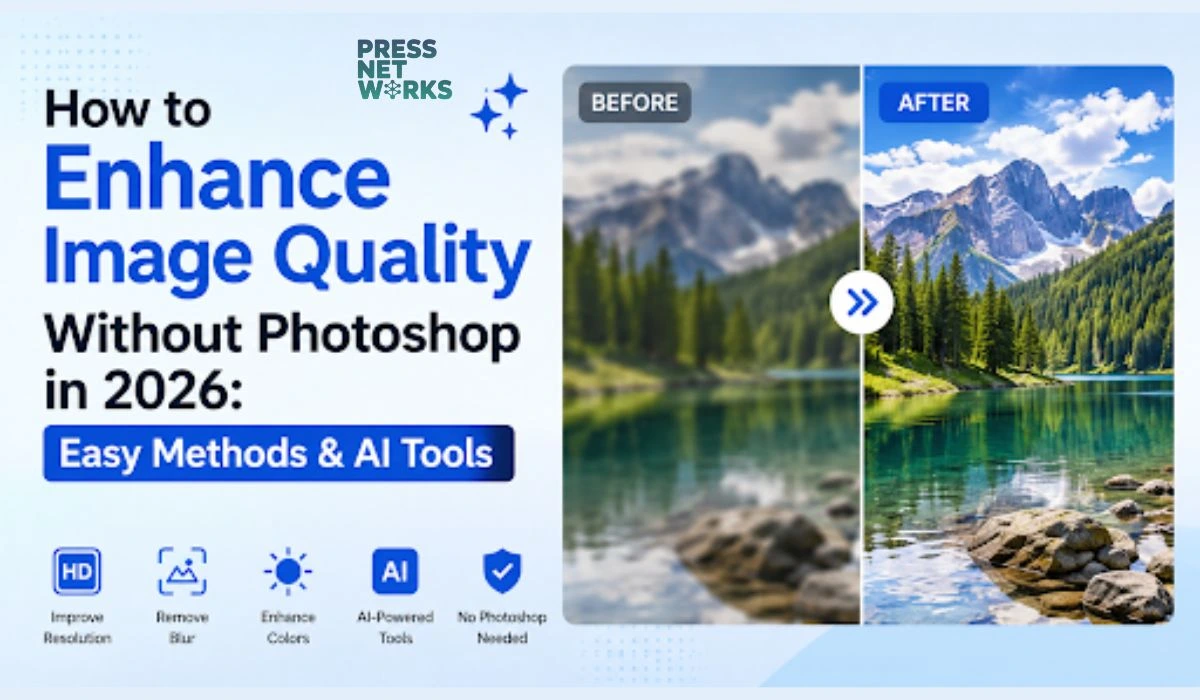
Image enhancement is the process of improving the overall visual quality of a photo while preserving its original content. Rather than changing what appears in an image, enhancement focuses on correcting technical issues that reduce image quality.
The goal is to produce a cleaner, sharper, and more visually appealing image by improving details, colors, lighting, and clarity.
Modern AI technology has dramatically improved image enhancement by analyzing millions of image patterns to intelligently reconstruct missing details, sharpen edges, reduce noise, and optimize colors automatically.
Common Image Issues Enhancement Can Fix
Many photos suffer from quality problems caused by camera limitations, poor lighting, movement, or compression. Fortunately, image enhancement can address many of these issues.
Blurry or Out-of-Focus Photos
Motion during capture or incorrect camera focus often creates blurry images. AI algorithms can sharpen edges and recover fine details, making photos appear significantly clearer. If you’ve ever searched for how to enhance a blurry photo, AI-based enhancement is often the quickest and most effective solution.
Low-Resolution Images
Older cameras, screenshots, and heavily compressed images often contain visible pixels when enlarged. AI upscaling technologies intelligently increase image resolution while preserving natural-looking details.
Noisy or Grainy Pictures
Photos taken in low-light environments frequently contain digital noise. Modern enhancement software can identify unwanted grain while maintaining textures, resulting in cleaner images.
Poor Lighting
Dark shadows, overexposed highlights, and uneven brightness can reduce image quality. Image enhancement tools improve exposure and balance lighting for a more natural appearance.
Faded Colors and Weak Contrast
Some photos lose their vibrancy over time or due to poor camera settings. Enhancement tools automatically restore color saturation, improve contrast, and create richer, more lifelike images.
Image Editing vs. Image Enhancement: What’s the Difference?
Although the terms are sometimes used interchangeably, image editing and image enhancement serve different purposes.
Image Editing
Image editing focuses primarily on creative modifications or changing the appearance of a photo. Examples include:
- Applying artistic filters
- Removing unwanted objects
- Replacing backgrounds
- Adding text or graphics
- Retouching portraits
- Creating photo composites
Editors have full control over every element of an image, making editing ideal for graphic designers and creative professionals.
Image Enhancement
Image enhancement concentrates on improving the original image rather than changing it.
Typical enhancement tasks include:
- Increasing sharpness
- Improving resolution
- Recovering lost details
- Correcting lighting
- Reducing image noise
- Improving color accuracy
- Enhancing overall clarity
The objective is to make the existing image look better while preserving its original composition.
Traditional Editing vs. AI-Based Enhancement
Traditional photo editing has long been the standard for improving images. However, it often demands considerable time and technical expertise.
With traditional editing, users typically need to:
- Learn complex software interfaces
- Adjust multiple settings manually
- Understand exposure, color grading, and sharpening
- Experiment extensively before achieving satisfactory results
For beginners, this learning curve can be overwhelming.
AI-based enhancement has simplified the process dramatically. Instead of manually adjusting dozens of settings, intelligent software analyzes the image automatically and applies suitable improvements.
The advantages of AI enhancement include:
- Faster processing
- Consistent results
- Minimal learning required
- Automatic detail recovery
- Improved sharpness and resolution
- Better color optimization
- Reduced manual effort
These innovations have made professional-quality image enhancement accessible to photographers, students, business owners, bloggers, and everyday users alike.
Part 2. Why Photoshop May Be Difficult for Beginners
Adobe Photoshop remains one of the world’s most powerful image editing applications. It offers an enormous collection of professional tools capable of handling everything from simple photo corrections to advanced graphic design, digital painting, and commercial photo manipulation.
However, not everyone needs such extensive functionality—especially when the goal is simply to improve the quality of a photo.
For many beginners, Photoshop can feel unnecessarily complicated.
Complex Interface
One of the biggest challenges is Photoshop’s interface.
New users are immediately presented with numerous menus, toolbars, layers, masks, adjustment panels, blending modes, brushes, filters, and workspace options. While these tools provide incredible flexibility for professionals, they can easily overwhelm someone who only wants to sharpen a blurry image or improve color quality.
Steep Learning Curve
Mastering Photoshop requires time.
Users often need to learn concepts such as:
- Layer management
- Selection tools
- Masks
- Curves
- Levels
- Smart Objects
- Color spaces
- Blend modes
- Camera Raw adjustments
Although countless tutorials are available online, becoming proficient still requires patience and regular practice.
Time-Consuming Manual Adjustments
Enhancing a photo manually often involves multiple steps.
For example, improving an old photograph may require separately adjusting:
- Brightness
- Contrast
- White balance
- Noise reduction
- Sharpening
- Color correction
- Resolution
- Texture
Repeating these adjustments across many images can consume a significant amount of time.
Too Many Features for Basic Improvements
Many casual users simply want to improve image quality without diving into advanced editing techniques.
If your primary goal is learning how to enhance photo quality quickly, using professional software with hundreds of advanced features may be unnecessary.
Fortunately, today’s AI-powered alternatives offer a much more beginner-friendly experience by automating many of these technical processes.
In the next section, we’ll explore several easy ways to improve image quality without Photoshop, including browser-based tools, built-in photo editors, and AI-powered desktop software that delivers professional-looking results with minimal effort.
Part 3. Easy Ways to Enhance Photos Without Photoshop
Thanks to advancements in artificial intelligence and modern software development, enhancing images has become much easier than it was just a few years ago. Today, users have multiple options depending on their needs, technical skills, and preferred workflow.
Whether you want a quick improvement before posting on social media or you’re restoring treasured family photos, there’s a solution that fits your experience level.
Let’s look at three of the most popular methods.
Method 1. Online Image Enhancement Tools
Web-based image enhancement platforms have become increasingly popular because they eliminate the need to install software. Users simply upload an image through a web browser, allow the AI to process it, and download the enhanced version within minutes.
If your goal is to enhance photo quality online, these services provide one of the fastest ways to improve an image.
Advantages
Online image enhancement services offer several benefits:
- No software installation required
- Accessible from almost any computer with an internet connection
- Simple upload-and-download workflow
- Beginner-friendly interface
- Fast AI processing
- Suitable for occasional users
For people who only need to improve a few images from time to time, browser-based tools are extremely convenient.
Limitations
Despite their convenience, online tools also have some drawbacks.
These may include:
- Limited customization options
- File size restrictions
- Slower upload speeds for large images
- Internet connection required
- Inconsistent enhancement quality between different services
- Privacy concerns when uploading sensitive images
Because the processing occurs on remote servers, some users may prefer desktop software for greater control and privacy.
Method 2. Built-In Photo Editing Tools
Many smartphones, tablets, and computer operating systems already include basic photo editing features.
For example, built-in photo applications typically allow users to:
- Adjust brightness
- Improve contrast
- Modify saturation
- Crop images
- Rotate photos
- Straighten horizons
- Apply simple filters
These tools are ideal for making quick visual improvements before sharing photos with friends or posting on social media.
Suitable For
Built-in editors work well when you need to:
- Correct exposure
- Increase brightness
- Improve color balance
- Crop distractions
- Rotate images
- Perform light touch-ups
Since they’re already installed on most devices, they’re convenient for everyday editing.
Limitations
However, built-in editing tools generally cannot perform advanced restoration.
Some limitations include:
- Limited ability to recover lost details
- Minimal support for enlarging low-resolution images
- Weak noise reduction capabilities
- Basic sharpening algorithms
- No intelligent AI reconstruction
If a photo is heavily blurred or significantly degraded, built-in editors may not produce satisfying results.
Method 3. AI Image Enhancement Software (Recommended)
For users seeking professional-looking improvements without investing hours learning complicated software, AI-powered desktop applications represent the best balance of quality and simplicity.
Instead of manually adjusting dozens of sliders, AI analyzes the image and intelligently determines which improvements are needed.
Modern AI software can automatically:
- Improve sharpness
- Increase image resolution
- Reduce digital noise
- Restore missing details
- Enhance colors
- Improve contrast
- Optimize lighting
- Produce cleaner, more natural-looking photos
This automation dramatically reduces the amount of work required while delivering consistently impressive results.
Whether you’re restoring old family photographs, preparing product images for an online store, or improving pictures for social media, AI software provides reliable performance with minimal effort.
For users wondering how to enhance photo quality without mastering professional editing software, AI-powered enhancement has become the preferred solution in 2026.
Part 4. Improve Photos Easily with Leawo Image Enhancer
Among today’s AI-powered photo improvement applications, Leawo Photo Enhancer stands out as a practical solution for users who want excellent results without a complicated learning process.
Its intelligent algorithms automatically analyze each image and apply enhancements that improve overall visual quality while preserving a natural appearance.
4.1 What Is Leawo Image Enhancer?
Leawo Photo Enhancer is an AI-powered desktop application designed specifically to simplify photo enhancement.
Rather than requiring users to manually adjust multiple editing parameters, the software performs intelligent analysis and optimization automatically.
Its AI technology is capable of:
- Increasing image resolution
- Recovering fine details
- Enhancing sharpness
- Improving color accuracy
- Optimizing brightness
- Increasing contrast
- Reducing image noise
- Producing cleaner, more vibrant images
This makes it an excellent choice for photographers, students, content creators, online sellers, marketers, and anyone who wants better-looking photos without investing significant time learning professional editing software.
4.2 Beginner-Friendly Features
One of the biggest strengths of Leawo Photo Enhancer is its accessibility.
The software has been designed so that even first-time users can achieve impressive results.
Some standout features include:
AI-Powered Automatic Enhancement
Instead of manually adjusting sharpening, brightness, and color settings, the AI analyzes each image and performs intelligent enhancements automatically.
Simple Interface
The interface is clean and easy to understand.
Users can quickly locate essential functions without navigating through dozens of complicated menus.
One-Click Workflow
Many enhancement tasks can be completed with only a few clicks, making the software ideal for users with little editing experience.
Minimal Configuration
Unlike professional editing software, there is no need to understand advanced photography terminology or manually fine-tune every adjustment.
The software handles much of the technical work behind the scenes.
4.3 How to Enhance Photos with Leawo Image Enhancer
Improving an image is straightforward.
Follow these simple steps:
Step 1: Launch Leawo Photo Enhancer on your Windows or macOS computer.
Step 2: Import the image you want to improve by selecting it from your device.
Step 3: Choose the appropriate enhancement mode based on your image and desired result.
Step 4: Allow the AI engine to analyze and process the image automatically.
Step 5: Preview the enhanced result and export the finished image once you’re satisfied.
The entire workflow typically takes only a few minutes, making it significantly faster than performing similar adjustments manually in professional editing software.
If you’re already using Leawo PhotoIns for organizing or managing your photo collection, pairing it with Leawo’s AI enhancement solution can create an efficient workflow for improving and organizing your images.
Part 5. Frequently Asked Questions About Leawo Image Enhancer
1. Is Leawo Image Enhancer free?
Leawo Photo Enhancer offers a free trial that allows users to test its AI-powered enhancement features before making a purchase.
The complete version requires a paid license, providing access to the software’s full capabilities.
For many users, purchasing a one-time license or affordable software package can be a more cost-effective option than maintaining an ongoing subscription to professional editing software.
2. Does Leawo Image Enhancer support Windows and macOS?
Yes.
The software is compatible with both Windows and macOS, allowing users on either platform to improve image quality using the same AI-powered workflow.
Its interface remains intuitive across both operating systems, making it accessible regardless of your preferred desktop environment.
3. How noticeable are the enhancement improvements?
In many cases, the improvements are immediately visible.
Users commonly notice:
- Sharper image details
- Better edge definition
- Richer colors
- Improved contrast
- Cleaner textures
- Reduced digital noise
- Greater overall clarity
The enhancements are especially noticeable when working with:
- Old photographs
- Low-resolution images
- Blurry smartphone pictures
- Compressed social media downloads
- Images captured in poor lighting
While the exact results depend on the original image quality, AI enhancement often produces significant visual improvements.
4. Can Leawo Image Enhancer restore old or damaged photos?
Yes, to a certain extent.
AI enhancement technology performs particularly well when improving:
- Blurry photos
- Grainy images
- Low-resolution pictures
- Faded colors
- Minor image degradation
However, photographs with severe physical damage—such as large tears, missing sections, or extensive scratches—may still require specialized restoration software or manual editing techniques.
AI enhancement works best when improving image quality rather than reconstructing heavily damaged content.
Conclusion
High-quality images have become essential for personal projects, professional branding, e-commerce, digital marketing, and social media. Fortunately, achieving sharper, cleaner, and more vibrant photos no longer requires years of experience with complex editing software.
While Adobe Photoshop remains an industry-standard application for professional designers, it can be overwhelming for beginners who simply want to improve the appearance of their images. The combination of a steep learning curve, numerous editing tools, and time-consuming manual adjustments makes it more than many users need for everyday photo enhancement.
Today, there are several practical alternatives. Browser-based services make it easy to enhance photo quality online, while built-in editing tools on smartphones and computers are suitable for basic adjustments. However, for users seeking the best balance of quality, speed, and simplicity, AI-powered desktop software offers the most effective solution.
Applications such as Leawo Photo Enhancer use intelligent algorithms to automatically sharpen images, reduce noise, improve colors, recover details, and increase overall clarity with minimal user input. This allows beginners and experienced users alike to achieve professional-looking results without spending hours learning advanced editing techniques.
Whether you’re wondering how to enhance a blurry photo, looking to restore treasured family memories, improve product images for an online store, or simply enhance photo quality for your next social media post, AI-powered tools have made the process faster and more accessible than ever before.
As AI technology continues to evolve in 2026 and beyond, enhancing photos is becoming increasingly effortless. With the right software and a few simple steps, anyone can transform ordinary images into clear, vibrant, and visually impressive photographs—no Photoshop skills required.
